
Learn · Aravise AI lesson library
Learn to use AI on your real work, one short lesson at a time.
Each lesson shows one practical skill being done, then writes out the steps, the prompts and the settings so you can repeat it on your own computer. Every lesson is free to watch.
2 lessons · Join the community waitlist
Latest lessons
The newest lessons in the library, most recent first.
 6 min 44 sec
Works in any job · Browser and computer control
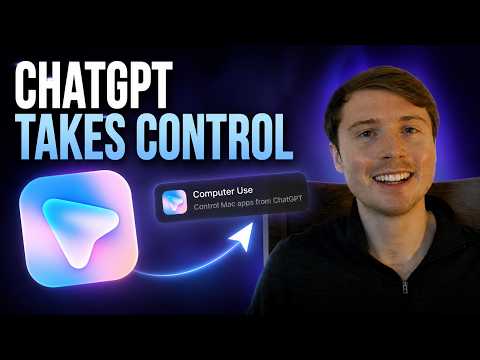
ChatGPT Computer Use: How to Control Your Mac with ChatGPT
Install the Computer Use plugin in ChatGPT on a Mac, approve the permissions, then type @Computer so ChatGPT can open and operate your desktop apps.
Watch the lesson 6 min 26 sec
Works in any job · Browser and computer control
How to Control Chrome with ChatGPT (Step by Step)
Install the ChatGPT desktop app, add the Chrome plugin and extension, then type @Chrome so ChatGPT clicks through websites and forms for you.
Watch the lessonBrowse by topic
Lessons grouped by the skill they teach.
Browse by who you are
The same lessons, picked for the way you work.
Business owners
Lessons for owners who do a bit of everything and want the repeat work off their own desk.
2 lessonsExecutives
Short lessons for leaders who want to see what the tools can do before deciding where to use them.
2 lessonsProfessionals
Practical lessons for people who want to be the one on the team who knows how to use AI well.
2 lessonsStudents
Lessons for people still studying who want practical AI skills before their first role.
Lessons coming later
What is on every lesson page
Every lesson is laid out the same way, so you always know where to find the part you need.
The video
A short screen recording of the task being done from start to finish, with chapters you can jump between.
The steps
Every step written out in order. Each one has a timestamp that jumps the video to that moment.
Prompts to copy
The prompts spoken in the video, word for word, plus examples to adapt. One click copies each.
Settings and permissions
What to install, where each setting lives, and what you are agreeing to when a tool asks for access.
Downloads
When a lesson has files to take away, such as a checklist or a skill, they are listed on the page.
Plus the honest parts
A section on what to check before you rely on it, answers to common questions, and the full transcript of the video.
Questions about the library
What is the Aravise Learn library?
It is a public library of short video lessons from the Aravise AI team. Each lesson teaches one practical AI skill on a real task and writes out the steps, prompts and settings underneath the video so you can follow along on your own computer.
Do I need to pay or sign up to watch a lesson?
No. Every lesson is free to watch and nothing is behind a sign-up. The steps, prompts and transcript are all on the page.
Which AI tools do the lessons cover?
Each lesson names the exact tool it uses and lists what you need before you start. The first lessons use the ChatGPT desktop app and its Chrome and Computer Use plugins.
How is a lesson organised?
Every lesson follows the same order: a direct answer at the top, the video, what you will learn, what you need, the steps with timestamps, prompts to copy, settings and permissions, cautions, a written guide, questions and answers, and the full transcript.
How are lessons different from the AI Use Cases pages?
AI Use Cases describes outcomes AI could deliver for a department and what each one would require. Lessons are hands-on: they show one skill being done and give you the steps to repeat it.
What is the community waitlist?
We are building a community for people who want to keep getting better with AI, at work and at home. It is not open yet. Join the waitlist and we will email you when it opens.
Community waitlist
We are building a community to help you use AI to…
- Be the go-to AI person in your department
- Find the repeat tasks worth handing over
- Use AI on the work your manager already cares about
- Take on more without giving up your time off
- Be more useful at home
- Make sense of your investments
- Take better care of your health
- Learn how people run a small side project with AI
These are aims, not guarantees. The community is not open yet. Join the waitlist and we will email you when it is. Anything we share about money or health is education, not financial or medical advice.