 7 min 50 sec
For a specific role
How to Find B2B Leads with ChatGPT (Step-by-Step)
Use a ChatGPT project to define your buyer, map search methods and build a list of 20 B2B company prospects with sources and buying triggers.

Learn · Aravise AI lesson library
Each lesson shows one practical skill being done, then writes out the steps shown in the video and the prompts used in it, so you can repeat it on your own computer. Every lesson is free to watch.
3 lessons · Join the community waitlist
Every lesson in the library, most recent first. Pick a tool, a task or a skill to narrow the list.
Showing all 3 lessons, newest first.
7 min 50 secFor a specific role
Use a ChatGPT project to define your buyer, map search methods and build a list of 20 B2B company prospects with sources and buying triggers.
 6 min 44 sec
Works in any job
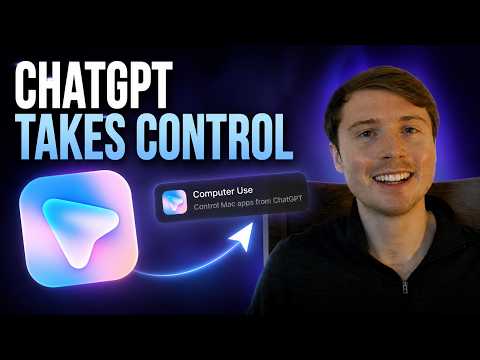
Install the Computer Use plugin in ChatGPT on a Mac, approve the permissions, then type @Computer so ChatGPT can open and operate your desktop apps.
 6 min 26 sec
Works in any job
Install the ChatGPT desktop app, add the Chrome plugin and extension, then type @Chrome so ChatGPT clicks through websites and forms for you.
The same lessons, picked for the way you work.
Lessons for owners who do a bit of everything and want the repeat work off their own desk.
3 lessonsShort lessons for leaders who want to see what the tools can do before deciding where to use them.
3 lessonsPractical lessons for people who want to be the one on the team who knows how to use AI well.
3 lessonsLessons for people still studying who want practical AI skills before their first role.
Lessons coming later
Every lesson is laid out the same way, so you always know where to find the part you need.
A short screen recording of the task being done, with a two or three sentence answer beside it.
Only what the video shows, in order. Each step has a timestamp that jumps the video to that moment.
The prompts used in the video with a copy button, plus any skills and other resources to download.
A few short answers taken from the video, then the full transcript of what was said.
It is a public library of short video lessons from the Aravise AI team. Each lesson teaches one practical AI skill on a real task and writes out the steps shown in the video underneath it, so you can follow along on your own computer.
No. Every lesson is free to watch and nothing is behind a sign-up. The steps, prompts and transcript are all on the page.
Each lesson names the exact tools used in its video. The first lessons use the ChatGPT desktop app and its Chrome and Computer Use plugins.
Every lesson follows the same short order: the video beside a direct answer, the steps shown in the video with timestamps, the prompts, skills and other resources used in the video, a few questions and answers, and the full transcript. Nothing is added that is not in the video or its description.
AI Use Cases describes outcomes AI could deliver for a department and what each one would require. Lessons are hands-on: they show one skill being done and give you the steps to repeat it.
We are building a community for people who want to keep getting better with AI, at work and at home. It is not open yet. Join the waitlist and we will email you when it opens.
Community waitlist
We are building a community for people who want to keep getting better with AI. It is not open yet, so join the waitlist and we will email you when it opens.
We are building it to help you: